configento.app

The 3D configurator for your online shop BETA

Your customers turn the product in real-time 3D, and the model follows every choice: dimensions scale it, options show and hide parts, colours and surfaces change instantly. You upload your 3D model and connect it to the configurator in the admin, without programming.
Try for free See the 3D demo
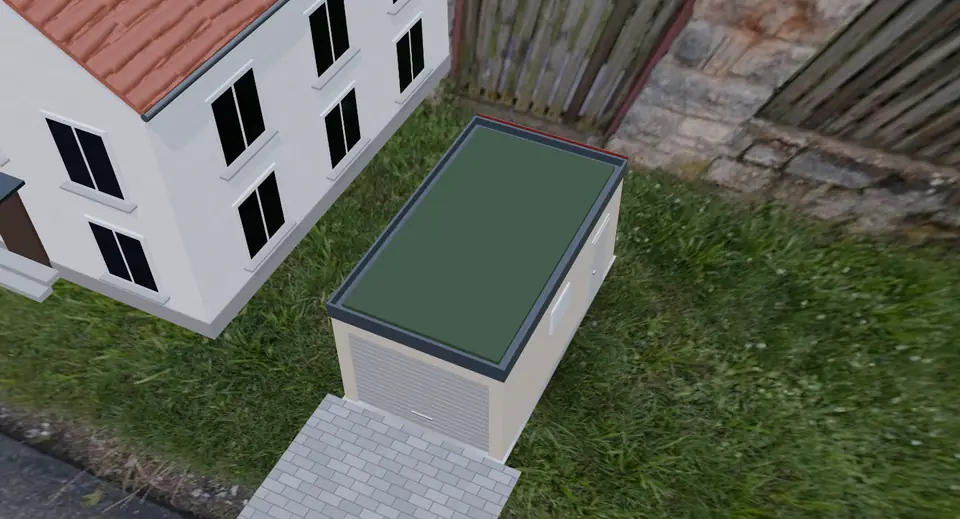
configento.app 3D configurator: garage in real-time 3D with neighbouring house and driveway

3D configurator – what is it?

One model instead of hundreds of product images

A product with many sizes, colours and options would otherwise need its own image for every combination. With the 3D configurator a single 3D model is enough: it shows every configuration, from every side.

Your customers see exactly what they order and decide with more confidence. The 3D picture of the chosen variant goes into the cart, the email and the PDF.

Part of your configurator

The 3D view replaces the product image of your configurator. Prices, rules and required fields work as usual. You upload the model as GLB, and configento.app checks it and lists its parts and materials.

Then you decide which characteristic moves, shows or colours which part. The configurator does the rest in your customers' browser. Read the guide >

Features of the 3D configurator

Dimensions in real time

Width, depth and height scale the model, including freely entered custom sizes. Formulas work out the size of each part from your characteristics.

Show and hide parts

Gate or door, green roof or solar panels, with or without a window: every option shows exactly the parts that belong to it.

Colours and surfaces

Plaster, carbon look, metal, wood, glass, green roof and solar panels. If you like, configento.app takes colours straight from the titles of your values, for example from “RAL 7016”.

Outdoor photos with surroundings

Garages, carports and garden sheds stand in a real 360° photo, with light and reflections from the photo, and optionally with a neighbouring house and a paved driveway.

Turn, zoom, full screen

Turn and zoom with mouse or finger, start view, automatic turning and full screen. The model only loads when it is needed.

3D picture in the order

The cart, email and PDF get a picture of the current 3D view, as your customer last saw it.

Everything in the admin

Upload the model, bind the parts, choose the scene, check the preview, publish. Export, import and duplicating take the model along.

With AI assistant

The AI assistant in the admin and configento.app MCP know the 3D view: “Only show the roller door when door = roller door” is enough.

3D product designer BETA

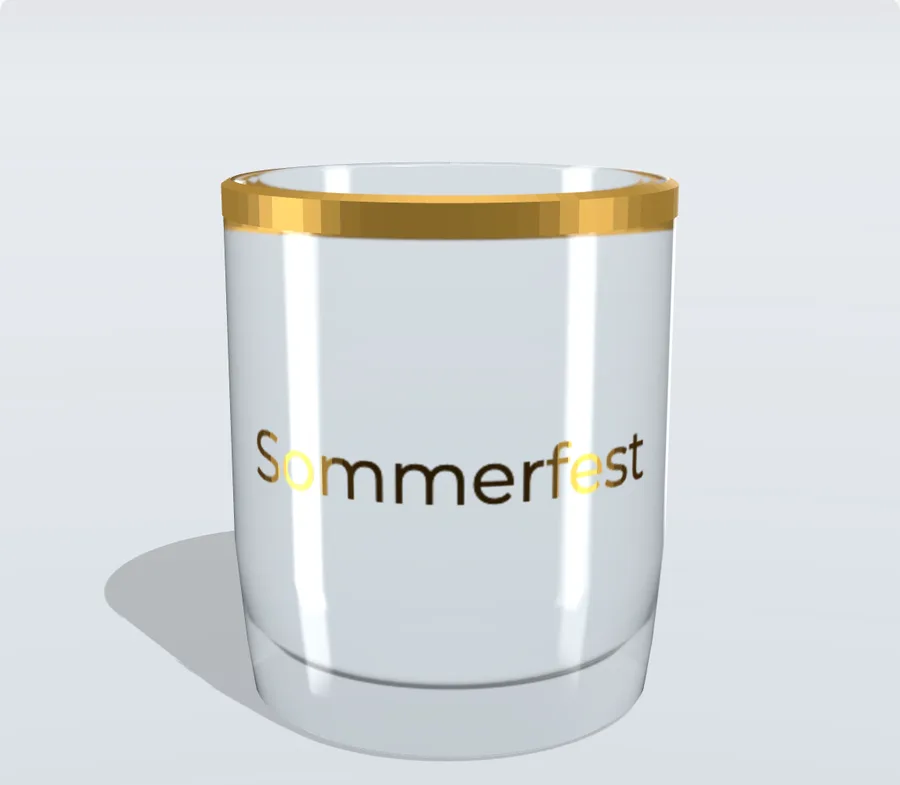
3D product designer: custom logo on a glass in real-time 3D

Custom text and custom logo right on the 3D model

With the 3D product designer, your customers design text and logo on a flat area below the model. The 3D model shows the result straight away all around the product, for example on a glass, a bottle or packaging.


  • Finishing as colour print, milky matt satin or metallic foil
  • Glass colours, gold rim and other options live on the model
  • Print-ready files and the original image with the order, just like the product designer

Demo: glass with your own logo More on the product designer

Now in beta

Free during the beta

During the beta, our support enables the 3D view free of charge. Afterwards it becomes the 3D add-on at €49 per month, included in the Enterprise licence at no extra cost.

Sample models to try out

A garage and a glass as ready-made components to import, plus the models to look at in Blender. To the examples >

Your model, our help

You need a 3D model in GLB format. The guide describes how it has to be built. We are happy to help you or your 3D artist with the first model. Read the guide >

Frequently asked questions

What is a 3D configurator?

A 3D configurator shows a product as a 3D model that changes with every choice. Your customers turn and zoom it and see every variant from every side, without you needing an image for every combination.

Which 3D model do I need?

A model in GLB format (glTF 2.0), at most 25 MB. Everything that changes with the configuration is a separate, named part. Blender, SketchUp, 3ds Max, Rhino and many CAD programs export GLB directly. Read the guide >

How much does the 3D configurator cost?

The 3D view is free during the beta. Afterwards it is an add-on at €49 per month that you can book with any edition. It is included in the Enterprise licence at no extra cost. See pricing >

Does the 3D view work on phones too?

Yes, in every current browser with WebGL, including smartphones and tablets. Without WebGL the configurator automatically shows the normal product image.

Which shop systems does the 3D view work with?

Wherever configento.app runs with the V3 frontend engine: in Shopify, Shopware 6, Magento 2, PrestaShop, WooCommerce and on any website via the HTML5 snippet.

What is the difference to the 3D product designer?

The 3D configurator changes the model with the choices: sizes, parts, colours. The 3D product designer also puts your customers' own text and images on the model. For that you need the 3D view and the product designer; both can be combined in one component.